

2-Day Instructor-Led Hands-On Lab Class
Available in either Web-Based Delivery or On-Site Delivery
Minimum 10 Students – Maximum 16 Students
What Students are Saying about this class:
- “Just wanted to say well done, as well as thank you. As you likely deduced, our company is most definitely lacking in the wireless testing equipment department. As I’m sure the free software your class presented will prove more than helpful, I hope that the members of our management attending this class, see fit to invest in a few of the spectrum analyzers you recommended. Thanks again, and I assure you that I learned a whole lot more than I ever figured I would about the dreaded WLAN we all deal with in this industry.”
- “This is an amazing course. Learning about Interchannel interference & other devices (microwave)”
- “Very intuitive website and course structure, very interesting, keep it up!”
- “Great Instructor…is patient and works with the students to ensure everyone is on the same page of understanding. Helps those that are stuck and appreciates that there are no ‘stupid’ questions!”
- “Andrew was awesome. Very knowledgeable – eager to help…speaks clearly, timely, answers questions.”
- “Best Class I have ever attended – great job Andy”
Course Description
Wi-Fi has become one of the most important access technologies in enterprise, broadband, service-provider, and residential networks. Yet Wi-Fi is also one of the most misunderstood parts of the network. Coverage, interference, channel utilization, client capabilities, access-point placement, RF conditions, configuration, and network congestion can all affect the user’s experience.
The CSI-HO-026 Hands-On Wi-Fi WLAN Operations course is a practical two-day class designed to help students understand how Wi-Fi networks actually operate and how to identify the factors that affect wireless performance.
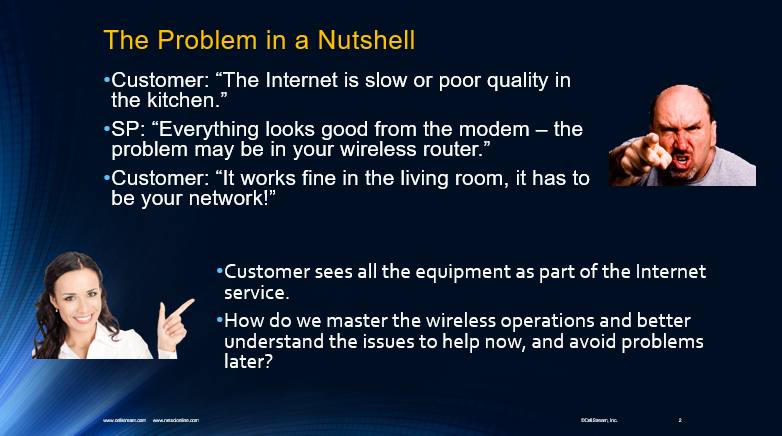
Rather than treating Wi-Fi as simply another Ethernet connection, students examine the unique characteristics of the wireless medium. The course begins with radio-frequency fundamentals and builds into IEEE 802.11 operation, Wi-Fi generations, channel usage, access points, stations, SSIDs, authentication, association, roaming, and wireless frame operation.
Students explore the technologies behind Wi-Fi 4, Wi-Fi 5, Wi-Fi 6, Wi-Fi 6E, and Wi-Fi 7, with an emphasis on what these technologies mean operationally when deploying and supporting real WLAN environments.
A significant portion of the course focuses on WLAN site surveys and wireless analysis. Students learn how Wi-Fi scanners, spectrum-analysis tools, packet capture, and Wireshark can provide different views of the wireless environment. Hands-on exercises reinforce concepts such as interference, signal strength, channel usage, beacon frames, Radiotap information, WLAN management frames, and throughput testing.
The course also examines Wireless Quality of Service, including 802.11e and Wi-Fi Multimedia (WMM), as well as the role of TR-069 and TR-369 in remotely managing broadband and Wi-Fi equipment.
Finally, students bring these concepts together through WLAN troubleshooting. Real-world operational problems involving distance, signal levels, asymmetric power, excessive WLANs, client density, configuration, and performance are examined so that students can develop a more systematic approach to diagnosing Wi-Fi problems.
Throughout the course, demonstrations and hands-on exercises help students move beyond Wi-Fi terminology and develop practical skills they can apply when installing, supporting, managing, and troubleshooting wireless networks.
Questions we address include:
- Where is the best place to deploy an Access Point?
- What factors affect Wi-Fi coverage and performance?
- How do channel selection and interference affect the WLAN?
- What is the difference between a Wi-Fi scanner and a spectrum analyzer?
- What tools can be used to analyze a wireless environment?
- How do clients discover, authenticate with, and associate to a WLAN?
- What information can Wireshark reveal about Wi-Fi operation?
- How can Wi-Fi equipment be configured to improve the customer experience?
- How do Wi-Fi 6, Wi-Fi 6E, and Wi-Fi 7 change WLAN operation?
- How should Wi-Fi problems be approached and troubleshot?
Course Objectives
Upon successful completion of this course, students will be able to:
- Explain the fundamentals of Wi-Fi and Wireless LAN operation.
- Understand the relationship between RF behavior and WLAN performance.
- Identify the characteristics of the 2.4 GHz, 5 GHz, and 6 GHz Wi-Fi environments.
- Explain the operational differences between Wi-Fi generations.
- Understand the basic technologies associated with Wi-Fi 4, Wi-Fi 5, Wi-Fi 6, Wi-Fi 6E, and Wi-Fi 7.
- Explain the role of Access Points, wireless stations, SSIDs, and service sets.
- Describe how Wi-Fi devices scan, authenticate, associate, and communicate.
- Understand the basic operation and purpose of 802.11 management, control, and data frames.
- Identify common sources of wireless interference.
- Understand the purpose and procedures associated with WLAN site surveys.
- Use Wi-Fi scanning and analysis tools to examine a wireless environment.
- Explain the difference between Wi-Fi scanning and RF spectrum analysis.
- Use Wireshark to examine selected 802.11 wireless frames.
- Understand Radiotap information used during wireless packet capture.
- Analyze Beacon and other WLAN management frames.
- Understand the fundamentals of WLAN throughput testing.
- Explain Wireless Quality of Service, 802.11e, and WMM.
- Understand the roles of TR-069 and TR-369 in broadband and WLAN management.
- Recognize common causes of poor Wi-Fi coverage and performance.
- Apply a structured approach to troubleshooting WLAN problems.
- Make better operational decisions when deploying, supporting, and maintaining Wi-Fi networks.
The goal is to give students a practical understanding of how Wi-Fi works, how to observe it, and how to troubleshoot it rather than simply memorizing wireless terminology.
Who Should Attend?
This course is designed for technical professionals who install, operate, support, manage, troubleshoot, design, or sell Wi-Fi and WLAN-based services.
It is particularly valuable for:
- Field Operations personnel
- Broadband technicians
- Wi-Fi technicians
- Network Operations personnel
- Customer Support personnel
- Network Support Engineers
- Network Design Engineers
- Development and Test Engineers
- Network Management personnel
- IT professionals responsible for wireless networks
- Technical Sales professionals
- Sales Engineers
- Technical Marketing personnel
- Anyone responsible for supporting residential or enterprise Wi-Fi services
The course is especially useful for organizations where technicians and support personnel must distinguish between problems caused by the Wi-Fi environment, customer devices, RF conditions, WLAN configuration, or the underlying network.
Course Prerequisites
No previous Wi-Fi expertise is required.
Some familiarity with computers, IP networking, and basic network operation is helpful, but the course is designed to build the student’s understanding of wireless networking from the fundamentals through practical WLAN operations and troubleshooting.
Students participating in the hands-on exercises must have access to a laptop computer.
If the course is delivered in a classroom where suitable computers are provided, individual student laptops may not be required.
Course Materials
Students will receive a Course Student Guide supporting the concepts, demonstrations, and hands-on exercises covered during the class.
Related Content
Students interested in continuing their Wi-Fi education can combine this course with additional CellStream training covering topics such as:
- Wi-Fi fundamentals
- Advanced Wi-Fi technologies
- Wi-Fi security
- Wi-Fi packet capture and Wireshark analysis
- Wireless troubleshooting
- Ethernet and TCP/IP
- IPv4 and IPv6
- Voice and video over Wi-Fi
These courses allow students to build upon the operational foundation developed in CSI-HO-026 and explore specific wireless technologies in greater depth.
Course Outline
- Section 1: Establishing the Groundwork
- Section 2: Radio Frequency Review
- Radio Chip Sets
- Modes of Operation
- Wi-Fi Protocols
- 2.4 GHz Channels
- 5 GHz Channels
- Duplex and Power
- Section 3: Wi-Fi 6/6E and Wi-Fi 7
- What are Wi-Fi 6/6E and Wi-Fi 7?
- How are they different from Wi-Fi 5 or Wi-Fi 4?
- Why are Wi-Fi 6/6E or Wi-Fi 7 better?
- How do we integrate Wi-Fi 6/6E and Wi-Fi 7 support?
- Section 4: 802.11 MAC Layer Review
- Base Stations and Stations
- Service Sets and SSID’s
- Mesh Networks and Roaming
- MAC Addressing
- 4-Way Handshake
- Media Access Control for Wireless
- Types of Wi-Fi Frames and Formats
- Scanning and Joining a Wi-Fi Networks
- Network Authentication
- Network Association
- Section 5: WLAN Site Survey
- Purpose of Site Survey
- Types of Interference
- Scanners vs. Spectrum Analyzers
- Spectrum Analyzer Tools for Field Operations
- Lab/Demonstration
- Identifying Reachable Wireless Systems
- Wi-Fi Scanners and Site Survey Tools
- Lab Exercise
- Range Extenders
- Coverage Best Practices
- Looking at Frames with Wireshark
- Lab Exercise
- Capturing Options
- Dissecting Radiotap Headers
- Lab Exercise
- Dissecting Beacon Frames
- Dissecting LAN Management Frames
- Lab Exercise
- Throughput Testing
- Section 6: QoS on the WLAN
- Defining the Purpose of QoS
- Discussing the Application Impact of QoS
- QoS Fundamental Tools
- 802.11e and WMM
- Applying QoS on a Gateway
- Section 7: TR-069/TR-369
- What are TR-069/TR369?
- The TR-069/369 Protocol Stack
- TR-069/369 Protocol Format
- What is SOAP?
- Message Structure
- Communication Ladder of TR-069/369
- TR-069/369 Events
- TR-069/369 M Events
- Section 8: WLAN Troubleshooting
- Troubleshooting Steps
- Device Drivers
- Lab Exercise
- Distance and Speed
- Asymmetric Power
- Signal Strength and Drops
- Number of WLAN’s
- Number of Devices
- Lab Example Problem #1
- Lab Example Problem #2
- Lab Example Problem #3
- Lab Example Problem #4
- Lab Example Problem #5
- WLAN/SSID Best Practices
Course Availability:
Contact us for schedule dates and times via our contact form or through the details provided on the page.
View the course calendar and browse for our schedule. It will show scheduled courses and available dates for scheduling.
Course Description, Content, Outline, and Instructional Design are Copyright ©CellStream, Inc.