

Practical ChatGPT Skills for Troubleshooting, Wi-Fi, Packet Analysis, Safety, Documentation, and Customer Communication
2-Day Instructor-Led Hands-On Course
Click Here to go to our Service Provider Courses.
Course Description
Artificial Intelligence is rapidly becoming another tool available to broadband technicians—but knowing how to use AI effectively, safely, and responsibly is a skill in itself.
CSI-OL-009 is a practical, hands-on course that teaches broadband technicians how to use ChatGPT as a daily technical assistant while keeping the technician, network evidence, company procedures, and sound technical judgment in control.
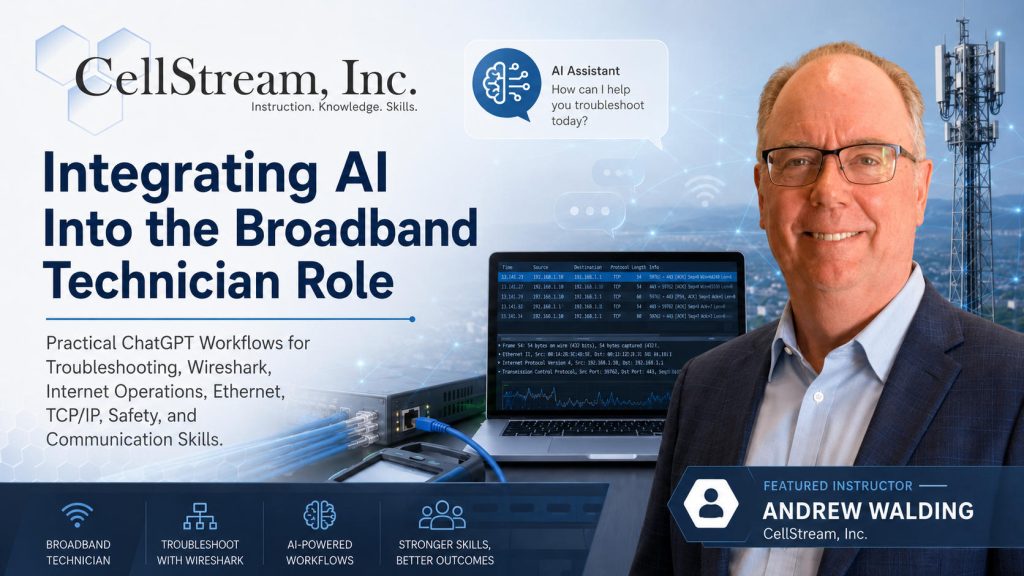
The course begins with safe ChatGPT account setup, privacy, Data Controls, Custom Instructions, Memory, and Projects. Students then apply those capabilities to the real work performed by broadband technicians: troubleshooting Ethernet and TCP/IP problems, understanding Wi-Fi behavior, preparing packet captures, working with Wireshark, documenting service calls, preparing escalations, planning for safe field work, and communicating with customers and technical teams.
This is not a course about asking AI to make decisions for the technician.
Instead, students learn how to use AI to:
- Organize troubleshooting information.
- Ask better technical questions.
- Separate evidence from assumptions.
- Develop structured troubleshooting workflows.
- Strengthen Ethernet, TCP/IP, and Wi-Fi knowledge.
- Prepare packet-capture strategies.
- Assist with Wireshark analysis.
- Turn rough field notes into clear documentation.
- Prepare stronger technical escalations.
- Create safety and job-preparation checklists.
- Improve communication with customers and coworkers.
- Explain technical problems in language appropriate for different audiences.
Throughout the course, AI is treated as an assistant—not an authority.
Students learn that AI-generated information must be evaluated against actual measurements, packet captures, device status, network configuration, approved procedures, company policies, and the technician’s own technical knowledge.
Lecture and instructor demonstrations are reinforced with realistic examples, guided exercises, discussions, and hands-on lab activities based on situations broadband technicians encounter in the field.
Why AI Skills Matter to the Broadband Technician
Broadband technicians work in an increasingly complex environment.
A single customer problem may involve Ethernet, IPv4, IPv6, Wi-Fi, DHCP, DNS, TCP, routing, customer equipment, applications, cloud services, or the service-provider network. Technicians must gather information, isolate the problem, perform tests, communicate with customers, document their findings, and determine when escalation is required.
AI can help technicians perform many of these activities more efficiently—but only when it is used correctly.
A technician who simply asks AI for an answer may receive something that sounds convincing but is incomplete, inappropriate, or wrong.
A technician who knows how to provide useful context, protect sensitive information, ask disciplined questions, evaluate the response, and compare the AI’s suggestions with actual network evidence can use AI much more effectively.
That distinction is at the heart of this course.
The objective is not: “Ask AI what is wrong.”
The objective is: “Use AI to help me investigate what is wrong.”
Course Objectives
By the end of this course, students will be able to:
- Create or access a ChatGPT account safely and responsibly.
- Understand the importance of protecting customer, company, and network information when using AI.
- Understand ChatGPT Data Controls and their relationship to technician workflows.
- Configure ChatGPT to better support the broadband technician role.
- Use Custom Instructions to improve the relevance and consistency of AI responses.
- Understand how Memory can affect ongoing interactions and how to manage it appropriately.
- Use Projects to organize repeatable technician workflows and technical subject areas.
- Write more effective prompts for technical work.
- Provide AI with useful technical context without unnecessarily exposing sensitive information.
- Distinguish between observed facts, assumptions, interpretations, and AI-generated suggestions.
- Use AI to support a structured troubleshooting process.
- Use AI as a learning assistant for Ethernet and TCP/IP concepts.
- Use AI to strengthen Wi-Fi understanding and troubleshooting.
- Use AI to help develop packet-capture plans.
- Ask AI for useful Wireshark display filters and analysis approaches.
- Evaluate packet-level observations without allowing AI to overstate what the evidence proves.
- Convert rough technician notes into clear, professional documentation.
- Create customer-friendly summaries of technical work.
- Prepare stronger dispatch, supervisor, NOC, and engineering escalations.
- Use AI to prepare pre-job safety and equipment checklists.
- Use AI to support job preparation without replacing approved safety procedures.
- Adjust technical terminology and communication style for different audiences.
- Use AI to prepare for difficult or frustrated customer interactions.
- Communicate next steps clearly and professionally.
- Apply the complete AI-assisted workflow to a realistic broadband troubleshooting scenario.
The emphasis throughout the course is on responsible AI-assisted decision support rather than AI-generated decision making.
AI Assists — The Technician Decides
One of the most important principles taught throughout CSI-OL-009 is that AI does not replace:
- Technical knowledge
- Field experience
- Troubleshooting discipline
- Measurements
- Test results
- Packet evidence
- Network configuration
- Company procedures
- Safety requirements
- Security policies
- Escalation procedures
- Human judgment
AI can help organize information, identify possibilities, explain technical concepts, suggest tests, improve documentation, and prepare communications.
The technician must still determine whether those suggestions make sense.
A useful operating principle throughout the course is: AI can suggest. Evidence must prove. The technician decides.
A Practical Broadband-Focused Course
This course is specifically focused on using AI in the broadband technician environment.
The examples and exercises are not generic office-productivity demonstrations. Students work through scenarios involving subjects such as:
- Customer Internet connectivity
- Ethernet
- TCP/IP
- DHCP and DNS
- Wi-Fi
- Coverage and capacity
- Interference and contention
- Network troubleshooting
- Packet capture
- Wireshark
- TCP behavior
- Documentation
- Escalation
- Customer communication
- Field safety
- Job preparation
Students learn how the same AI tool can support different stages of a service call—from understanding the original trouble report through troubleshooting, testing, documentation, customer communication, and escalation.
Audience
CSI-OL-009 is designed primarily for broadband technicians and technical support personnel who want to use AI more effectively in their daily work.
Ideal participants include:
- Broadband Field Technicians
- Broadband Installation and Repair Technicians
- Service Technicians
- Technical Support personnel
- Tier 1, Tier 2, and Tier 3 Support personnel
- Network Operations Center personnel
- Network Engineers
- Network Administrators
- Network Operations personnel
- Wi-Fi Support personnel
- Customer Support personnel
- Technical Trainers
- Supervisors and Technical Managers
- Network Design Engineers
- Systems and Test Engineers
- Technical Sales Engineers
- Technical Marketing personnel
- Individuals preparing for broadband or networking certifications
The course is particularly valuable for organizations that want their technical workforce to begin using AI while maintaining consistent expectations for privacy, technical accuracy, troubleshooting discipline, documentation, safety, and customer communication.
Course Prerequisites
No previous AI or ChatGPT experience is required.
Students should have a basic familiarity with broadband, networking, telecommunications, technical support, or network operations.
Because many of the exercises involve Ethernet, TCP/IP, Wi-Fi, and packet analysis, students with previous networking experience will be able to apply the examples directly to their existing technical knowledge.
The course teaches students how to use AI to support that knowledge—not replace the need to develop it.
Student Requirements
Students attending this course must have:
- A laptop computer with Wi-Fi capability.
- A current web browser.
- Access to ChatGPT. We will create free accounts for use during the course – they can be removed or continued for use at the students’ discretion ad their company policy.
- The ability to perform the course’s hands-on exercises.
Students should also understand their organization’s policies concerning the use of Artificial Intelligence before attending the course.
Organizations may have requirements concerning:
- Customer information
- Personally Identifiable Information
- Proprietary network information
- Configuration files
- Network diagrams
- Trouble tickets
- Packet captures
- Screenshots
- Internal documentation
- Approved AI accounts or services
A key principle taught throughout the course is: Sanitize information before sharing it with an AI system.
Course Materials
Students receive access to course materials through the CellStream Online School of Network Science.
Materials include:
- PDF Course Student Guide
- Hands-on exercises
- Example AI prompts
- Broadband troubleshooting scenarios
- Technician workflow examples
- Privacy and data-handling examples
- Ethernet and TCP/IP exercises
- Wi-Fi troubleshooting exercises
- Wireshark and packet-capture exercises
- Documentation and escalation exercises
- Safety and job-preparation exercises
- Communication exercises
- Capstone troubleshooting scenario
- Additional technical reference materials
These materials are designed to provide students with examples and techniques they can adapt to their own technician workflows after the class.
The Hands-On Approach
AI skills are developed through use, not simply through lecture.
Throughout CSI-OL-009, students work directly with ChatGPT and learn how changes in prompts, context, instructions, evidence, and follow-up questions affect the usefulness of the response.
Students practice using AI for realistic broadband tasks rather than simply watching demonstrations.
Exercises reinforce a disciplined workflow:
Describe the problem → Provide safe context → Ask focused questions → Evaluate the response → Test the suggestion → Compare it with evidence → Refine the investigation → Document the results
Students also learn that a poor AI response is often an opportunity to improve the question, provide better evidence, challenge an assumption, or narrow the troubleshooting scope.
The result is a technician who understands not just how to use ChatGPT, but how to use it as part of a repeatable technical workflow.
Course Outline
- Module 1: Course Introduction and ChatGPT Account Setup
- Module 2: Data Controls and Privacy
- Module 3: Custom Instructions
- Module 4: Memory
- Module 5: Projects
- Module 6: AI-Assisted Troubleshooting Workflow
- Module 7: AI for Ethernet and TCP/IP Skill Building
- Module 8: AI for Wi-Fi Understanding and Troubleshooting
- Module 9: AI for Wireshark and Packet Capture Assistance
- Module 10: AI for Documentation and Escalation
- Module 11: AI for Safety and Job Preparation
- Module 12: AI for Communication Skills
- Module 13: Capstone Exercise
From Trouble Ticket to Escalation
One of the distinguishing features of CSI-OL-009 is that AI is not presented as a collection of unrelated tricks.
Students learn how AI can support the complete technician workflow.
A typical workflow may include:
- Trouble Ticket – Understand the reported problem and identify missing information.
- Initial Assessment – Organize symptoms, known facts, assumptions, and questions.
- Troubleshooting – Develop a structured sequence of safe and appropriate tests.
- Technical Learning – Ask AI to explain unfamiliar Ethernet, TCP/IP, Wi-Fi, or protocol behavior.
- Packet Analysis – Plan packet captures, develop Wireshark filters, and interpret observations.
- Customer Communication – Explain findings and next steps without unnecessary jargon or blame.
- Documentation – Convert field notes and observations into clear ticket updates.
- Escalation – Prepare concise, evidence-based information for supervisors, the NOC, or engineering.
AI can assist at every stage—but network evidence and technician judgment remain in control throughout the process.
Why Take This Course?
Knowing that AI exists is very different from knowing how to use it professionally.
Broadband organizations need technicians who can take advantage of AI without introducing new problems involving privacy, inaccurate information, weak troubleshooting, poor documentation, inappropriate customer communication, or overreliance on automated answers.
CSI-OL-009 teaches technicians to use AI within the disciplines they already need to perform their jobs successfully.
The result is not an AI technician. It is a better-equipped broadband technician who knows how to use AI as one more tool in the toolbox.
Course Availability:
Contact us for schedule dates and times via our contact form or through the details provided on the page.
View the course calendar and browse for our schedule. It will show scheduled courses and available dates for scheduling.
Course Description, Content, Outline, and Instructional Design are Copyright ©CellStream, Inc.