
- Version
- Download 5323
- File Size 46.84 KB
- File Count 1
- Create Date October 12, 2024
- Last Updated January 31, 2026
UDP Profile
Here is a UDP specific profile for Wireshark. Don't be one of the people who overlook UDP in their troubleshooting! So many critical events in network operations actually use UDP! Especially today, with the rapid emergence of QUIC essentially replacing TCP.
Enjoy.
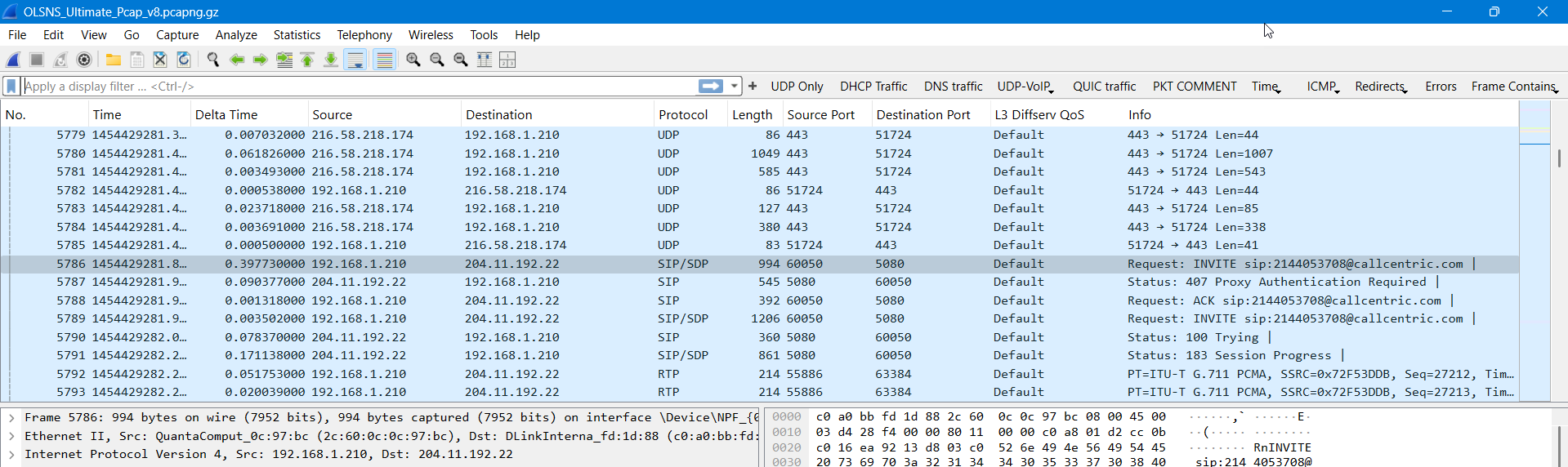
Many people overlook the UDP (User Datagram Protocol) in troubleshooting for several key reasons:
1. No Connection State = No Handshake
Unlike TCP, UDP is connectionless:
- There's no handshake (like SYN/SYN-ACK/ACK) to mark the start or end of a session.
- This makes it harder to identify the beginning and end of a conversation in packet captures.
- Without stateful tracking, traffic often looks like isolated datagrams, making session-level troubleshooting harder.
2. Lack of Reliability
UDP doesn’t guarantee delivery, ordering, or error correction:
- Lost, duplicated, or out-of-order packets are expected behavior.
- Troubleshooters often assume the protocol is "broken" when these things occur, when in fact, it's working as designed.
- Because UDP doesn’t retransmit, there’s no visible recovery process, unlike TCP.
3. No Built-in Flow Control
There’s no congestion or flow control in UDP:
- Packet loss might stem from oversaturated links or queues, but UDP won’t slow down or react.
- Without these controls, it’s harder to infer performance characteristics by just looking at packet behavior.
4. Lack of Visibility in Common Tools
Many analysis tools are optimized for TCP:
- Features like stream reassembly, sequence tracking, or performance metrics often assume a stateful protocol like TCP.
- UDP conversations can look like a series of random one-offs in Wireshark unless properly filtered and interpreted.
5. Encrypted or Proprietary Protocols Use UDP
Many modern applications using UDP (like QUIC, VoIP, gaming, or streaming) employ encryption or custom protocols:
- Even if you capture the UDP payload, you may not be able to interpret it easily.
- That leads people to ignore it or treat it as a black box.
6. Training and Habit
Most traditional networking education and documentation focuses on TCP-heavy services:
- Web (HTTP/HTTPS), email (SMTP, IMAP), file transfer (FTP, SFTP), etc., all use TCP.
- As a result, troubleshooting skills and tools are biased toward TCP-based services.
7. UDP Often “Just Works”—Until It Doesn’t
UDP is used in real-time and high-performance scenarios where:
- Latency is more important than reliability.
- Loss tolerance is built into the application layer.
So unless there's an obvious failure (e.g., dropped calls in VoIP), people don’t dig into UDP.
People overlook UDP in troubleshooting because it's stateless, unreliable by design, lacks tool support, is often encrypted or proprietary, and is generally less emphasized in training. Understanding and troubleshooting it well requires a different mindset and deeper protocol-specific knowledge.