

|
Check out these great references as well: |
| Our custom profiles repository for Wireshark |
| Our Udemy course on Wireshark |
| Our Udemy course on Wireless Packet capture |
Network Administrators often need to deploy new Access Control Lists or Firewall rules based on items they see and learn in packet captures. Wireshark makes this task very simple by providing commands in various formats that can be easily cut and paste into routers or Firewalls.
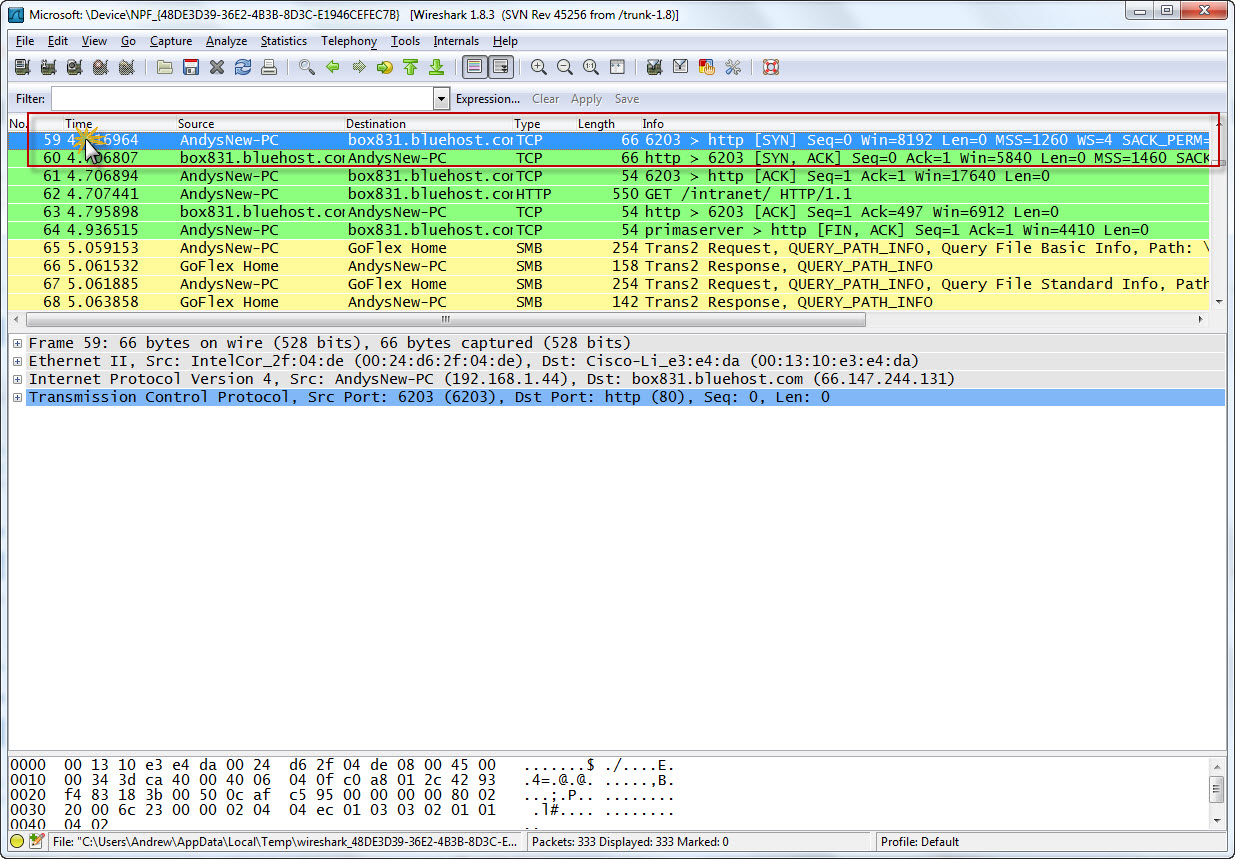
Let’s see how this is done. First with a capture open, click on the packet that has the information you are interested in. For example, if we have a particular user that we want to ban from the network, we select the packet to highlight it:
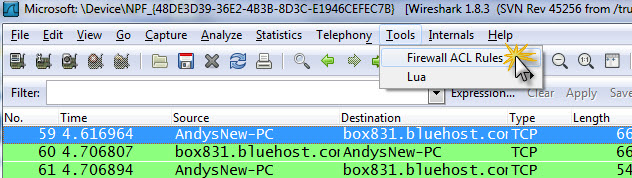
Now click on Tools> Firewall Rules:
The following dialogue appears:
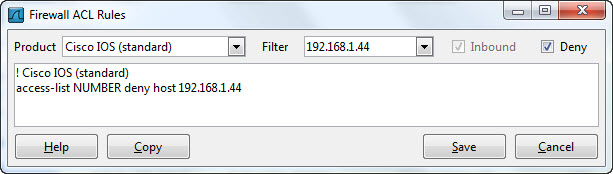
Note the default is Cisco IOS standard, and that the access list command syntax has appeared in the main window.
Lets look at some of the options. Note that Inbound traffic is default. Also note that Deny is default.
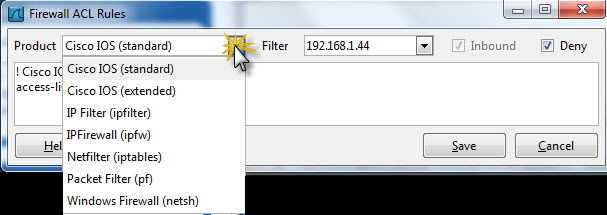
Click on the “Product” down arrow to see the product types supported:
Now click on the “Filter” down arrow. This allows you to select various packet related items such as MAC or IP or TCP port:
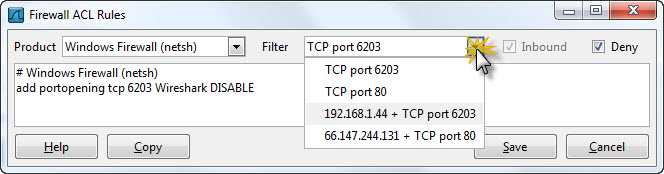
The network administrator can now easily cut and paste the command line into their Firewall or Router to implement the control.
Thank you Wireshark!