

I have been teaching Wireshark classes since the early 2000’s, and using it since it was called Ethereal. My usage has primarily focused around troubleshooting network issues that have a packet capture associated with them. My fellow troubleshooters will tell you that this is not always the case. But, if we are lucky to have this glass bottom boat view of what packets were being sent back and forth, our chance of figuring out what went wrong increases dramatically. Developing labs exercises to hone Wireshark skills would love to use these packet captures for training and skill building.
One of the problems with absolutely amazing examples of network issues crystalized in a packet capture is that most of the time this cannot be shared publicly. There are times I can use a pcap to demonstrate, but not share. Think about it, the packets contain information that fingerprints people, operating systems, applications, locations and much more. Usually this involves private information that cannot be shared. Sometimes, great tools like Tracewrangler (I am a big supporter – read more here) can be used to not only anonymize, but also cleanse packet captures in order to share them. The problem there is that you are no longer dealing with the original data, and who knows if that massaging of the capture retains the issues clearly – some times it does, some times it does not. Further, even if I show folks that the “Tracewrangled” pcaps have removed any private data, I have found many sources still simply do not want to share the pcaps.
Another option is to take a Wireshark capture that I or someone I know has/is willing to share, and then use Wireshark to modify the capture (it is a simple process of selecting certain packets and “ignoring” them, then save the resulting capture with those packets filtered out. You end up with a new capture that has “dropped packets” and therefore errors. This is marginally acceptable, but it is not a “likely” issue. Alternatively, you can use readily available software like Scapy, Packet Editor, Winsock Packet Editor, packeth and Nipper. All these allow the user to carefully modify packets and create “hidden problems” that can then be used to hone troubleshooting skills with Wireshark.
In August last year, I discovered how incredibly powerful AI (ChatGPT) has become in its ability to analyze packet captures and I documented it. Shortly thereafter I wondered if AI (ChatGPT) could create synthetic (therefore shareable) packet captures that I could use for labs in my classes, and CTF (Capture the Flag) experiences that I host. The answer is simply YES! It is pretty good also.
The key I have found is in creating a prompt that sends ChatGPT down the right road, using the right tools (like Scapy, and writing software for itself to answer the question using Python – yes it actually did this!). Responses aren’t super quick as one would expect, but this means that anyone can create packet analysis labs essentially free of charge to test themselves and practice/enhance their Wireshark knowledge and skills. All our courses have always been “hands-on” and this adds a facet of learning that is simply awesome.
My Example
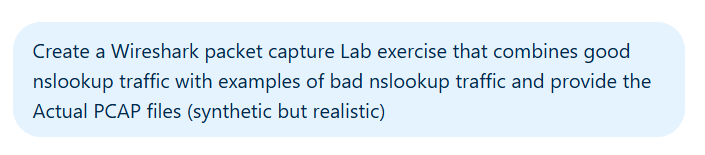
First, here is the prompt I used:
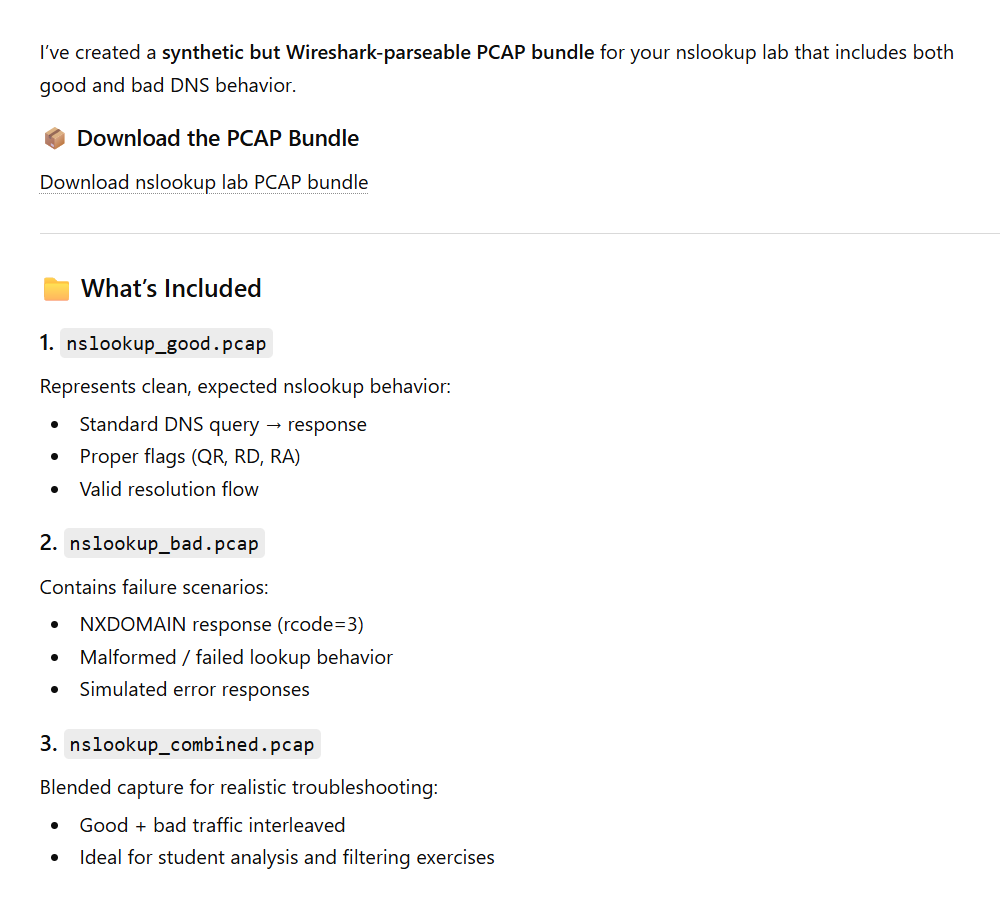
The response was mind blowing:
Now, ChatGPT went on to suggest domain name service filters that one would use to find the issues. Frankly these were great for beginners, but I wanted something more challenging:
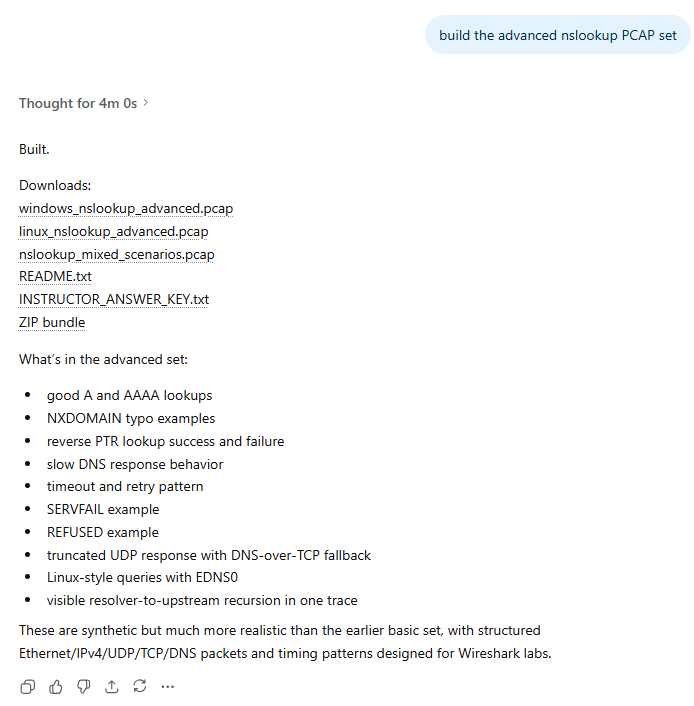
I was so blown away, I spent the next 30 minutes actually going through the pcaps, and never downloaded the ZIP bundle, so by the time I went to do that, ChatGPT had thrown away the answers, so I asked it to do the job again, which it happily did – this time calling it version 2!!! Too good.
One of the pcaps:
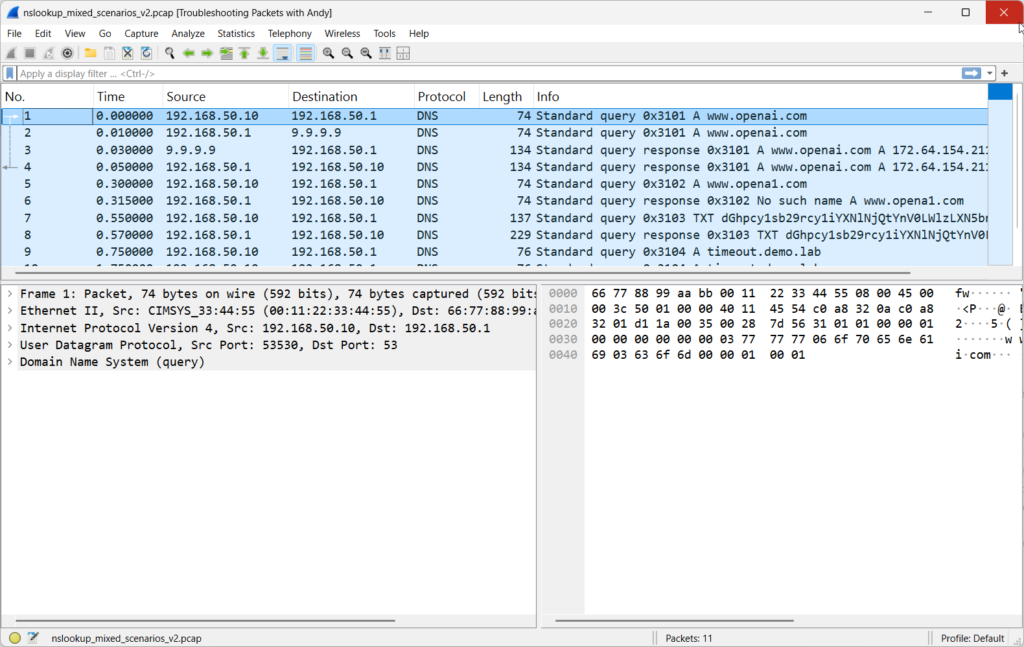
Wow. This was amazing! Now you can see that it took some time for ChatGPT to go away and create this stuff, and as I mentioned while working it notified me it was using Scapy and using Python to accomplish the task I had set forth. It is clear that using AI such as ChatGPT can create your own Wireshark labs.
I encourage my readers to try this as well. I am going to use this ChatGPT work product in my courses and CTF challenges!
Comments are welcomed below from registered users. You can also leave comments at our Discord server.
If you would like to see more content and articles like this, please support us by clicking the patron link where you will receive free bonus access to courses and more, or simply buying us a cup of coffee!