

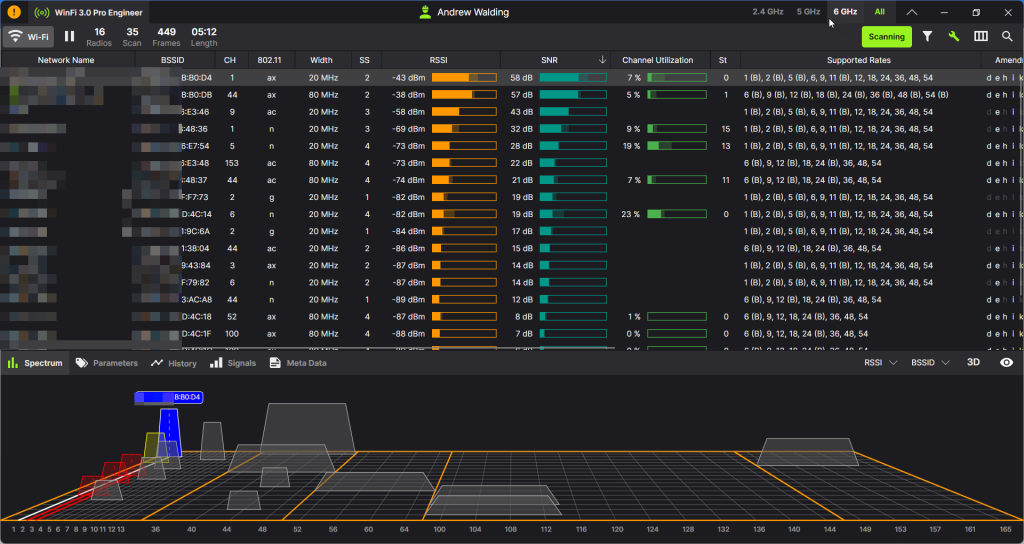
RFMON stands for Radio Frequency MONitor mode. It is a special mode for wireless network interfaces that allows a device to capture all radio traffic it can receive on a wireless channel, regardless of the intended recipient. All Wi-Fi radios can go into different modes, but that does not mean you can make that happen. This is different from normal “managed mode,” where the wireless card only processes frames addressed to it. You will see that in several Wi-Fi related articles I use this term RFMON.
As stated, a Wi-Fi radio (wireless network interface) can operate in several modes, each serving a different role in a wireless network. These modes define how the device interacts with wireless networks and other devices. Here is a full list and RFMON is one of them:
Common Wi-Fi Radio Modes
| Mode | Description | Typical Use |
|---|---|---|
| Managed (Client/Station) | Connects to an Access Point (AP) like a laptop or phone joining a Wi-Fi network. | End-user devices |
| Master (Access Point) | Acts as an AP, providing service to clients. | Routers, wireless APs |
| Ad-Hoc (IBSS) | Peer-to-peer networking without an AP; devices connect directly. | Quick file sharing, sensor networks |
| Monitor (RFMON) | Passively listens to all wireless frames on a channel without transmitting. | Packet capture, security auditing |
| Promiscuous | Captures all packets, but only works fully on Ethernet or in conjunction with monitor mode on Wi-Fi. | Diagnostics (limited on Wi-Fi) |
| Mesh Point | Participates in a mesh network; forwards traffic dynamically. | Wireless mesh networks |
| Repeater/Extender | Receives and retransmits Wi-Fi to extend coverage. | Range extension |
| WDS (Wireless Distribution System) | Bridges APs wirelessly with MAC-level transparency. | Point-to-point AP bridging |
| P2P (Wi-Fi Direct) | Forms a direct Wi-Fi connection between devices without a traditional AP. | Device pairing (e.g., printers, cameras) |
anaged mode is the default for most user devices. RFMON or Monitor mode is crucial for security, diagnostics, and analysis, but not supported by all hardware/drivers. AP, Mesh, and Repeater modes often require special firmware (e.g., OpenWrt) or enterprise-class devices.
If you are a Windows user you can check what modes your system supports with WlanHelper – read more here.
What are the Key Features of RFMON?
If you can put the Wi-Fi interface into monitor mode (Linux – easy, MAC – easy, Windows – hit and miss), here are the key features of RFMON:
- Promiscuous capture of 802.11 frames: Including beacon frames, probe requests/responses, authentication, association, and data frames.
- No association required: The interface doesn’t need to be connected to any Wi-Fi network.
- Passive listening: Ideal for tools like Wireshark, Kismet, and airodump-ng to monitor wireless traffic.
Why Do I need to Use RFMON?
- Wi-Fi troubleshooting and site surveys
- Wireless intrusion detection and monitoring
- Packet analysis for troubleshooting, research or training
- Wireless penetration testing and security auditing
Some Important Notes:
- When in RFMON, the card cannot transmit—it is receive-only.
- Not all wireless cards or drivers support RFMON mode.
- Often confused with promiscuous mode, which applies to Ethernet interfaces. Promiscuous mode does not decode management/control frames on Wi-Fi; RFMON does.
Wireless Tools That Use RFMON Mode
Here is a list of popular tools that support and utilize RFMON (Monitor Mode) for wireless network analysis, troubleshooting, and security testing:
Packet Capture & Analysis
| Tool | Description |
|---|---|
| Wireshark | Graphical packet analyzer that can capture 802.11 frames in RFMON mode. Works best on Linux/macOS with compatible adapters. |
| tcpdump | CLI packet capture tool that can capture 802.11 frames when run on an interface in monitor mode. |
| airodump-ng | Part of Aircrack-ng; used to scan and capture 802.11 packets for analysis and cracking. |
| Kismet | Wireless network detector, sniffer, and intrusion detection system supporting multiple wireless cards. |
Wireless Security & Penetration Testing
| Tool | Description |
|---|---|
| Aircrack-ng suite | Includes airodump-ng, aireplay-ng, aircrack-ng, etc. for WEP/WPA cracking and replay attacks. |
| Bettercap | Modular MITM and wireless attack framework with support for 802.11 monitoring and injection. |
| Wifite | Automated wireless auditing tool that wraps around Aircrack-ng tools. |
| Reaver | Exploits WPS vulnerabilities; works in RFMON mode to capture handshakes and brute-force pins. |
Site Surveys & Wi-Fi Monitoring
| Tool | Description |
|---|---|
| WinFi Wi-Fi Scanner – the absolute best | This is the best Wi-Fi scanning tool available – read more here. |
| inSSIDer (older versions) | Can be used with compatible adapters for passive scanning. |
| NetSpot | Mac and Windows tool for Wi-Fi heat mapping and survey (limited passive capabilities on macOS). |
| Ekahau HeatMapper | Free version of Ekahau’s Wi-Fi survey tool; more advanced versions require professional licenses. |
Some Bonus Tools (Linux CLI utilities)
iwconfig– to enable monitor modeiw– to configure interfaces (modern replacement foriwconfig)airmon-ng– helper tool to put wireless cards into monitor mode (from Aircrack-ng)hcxdumptool– advanced capture tool for handshakes and PMKID data
Have I missed anything?
I hope you have found this useful. Happy RFMON’ing!!
Comments are welcomed below from registered users. You can also leave comments at our Discord server.
If you would like to see more content and articles like this, please support us by clicking the patron link where you will receive free bonus access to courses and more, or simply buying us a cup of coffee!