
Signal has a well-earned reputation as a secure messaging application. Messages, voice calls, video calls, files, and other Signal-to-Signal communications are protected using end-to-end encryption. Signal states that message and call contents cannot be accessed by Signal or other third parties because the communications are always end-to-end encrypted.
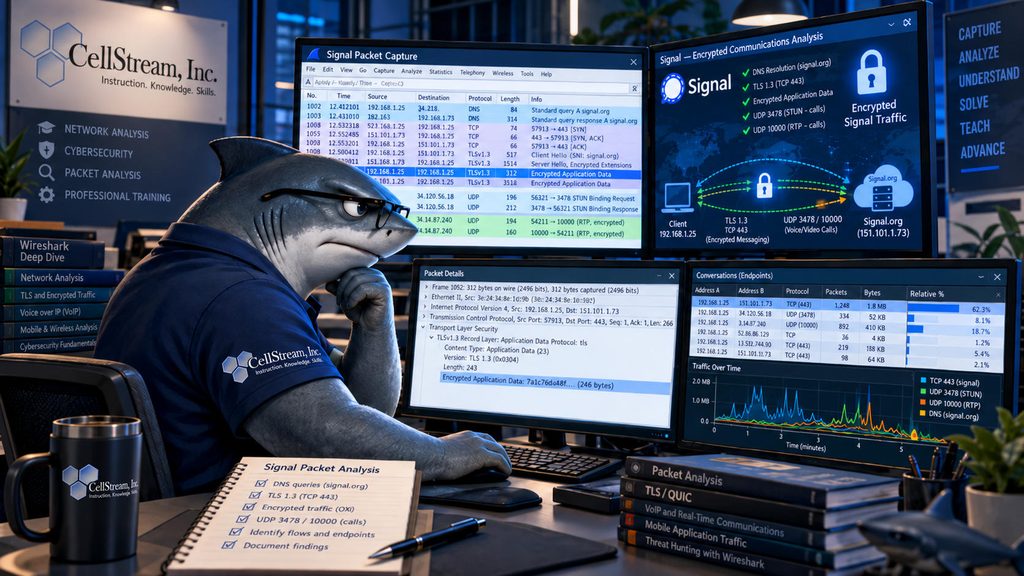
So that raises an interesting Wireshark and packet analysis question: If Signal is encrypted, what can we actually learn by capturing its packets?
Quite a lot, as it turns out – much like other encrypted communications.
So why bother opening Wireshark?
Because reading application content is only one part of packet analysis.
Even when the payload is encrypted, the packets still have plenty to say about what the device is doing, where it is communicating, how much data is moving, which transport protocols are involved, how long a conversation lasts, and whether the network is delivering that traffic properly.
Signal makes a good example because it forces us to change the question. Instead of asking:
What does the message say?
we need to ask:
What does the network tell us about the communication?
That is a useful mindset for far more than Signal. The same approach applies to HTTPS, QUIC, VPN traffic, cloud applications, collaboration platforms, encrypted DNS, and increasingly just about everything else we troubleshoot.
What Encryption Changes
A Signal message is protected at the application level using Signal’s end-to-end encryption. The connection between the device and Signal’s infrastructure is also carried over encrypted network connections.
Conceptually, you can think of a message path something like this:
Ethernet
   ↓
IPv4 or IPv6
   ↓
TCP
   ↓
TLS
   ↓
Signal encrypted data
   ↓
Message
That distinction matters. With an ordinary HTTPS application, possession of the appropriate TLS session secrets may allow us to decrypt TLS and examine the application traffic inside it. That does not automatically expose a Signal conversation. The message itself is protected end-to-end. So, for this exercise, forget about trying to read the message. We are going to study the traffic around it.
What Does Signal Look Like in Wireshark?
At first glance, not very exciting.
You may see some DNS traffic followed by TCP and TLS traffic to remote systems:
Client          Server          Protocol
------          ------          --------
192.168.1.25 →  x.x.x.x         TCP   SYN
x.x.x.x      →  192.168.1.25    TCP   SYN, ACK
192.168.1.25 →  x.x.x.x         TLS   Client Hello
x.x.x.x      →  192.168.1.25    TLS   Server Hello
192.168.1.25 →  x.x.x.x         TLS   Application Data
x.x.x.x      →  192.168.1.25    TLS   Application Data
Once encryption is established, much of the interesting application content simply appears as encrypted application data. I mean this is what we expect.
There will not be a convenient packet containing:
Signal Message
From: Andy
To: Fred
Message: Meet me at 10:00.
That’s the whole point, but don’t stop analyzing just because the payload is unreadable.
Can We Identify Signal Traffic?
Sometimes.
Signal currently tells network administrators to permit TCP 443 and UDP traffic to *.signal.org. It also lists several other domains used for functions such as usernames, group links, and other Signal services. For calling, Signal currently identifies turn3.voip.signal.org and sfu.voip.signal.org, although Signal specifically warns that these can change.
If traditional DNS happens to be visible, I might start with:
dns.qry.name contains "signal"You can also check TLS Client Hello packets for a visible server name:
tls.handshake.extensions_server_name contains "signal"These are useful filters, but they are not magic Signal detectors.
The DNS lookup may have occurred before your capture started. The answer may already be cached. The client may use encrypted DNS. TLS hostname information may not always be visible. Infrastructure changes as well.
So here’s the rule I use: Finding Signal-related information is evidence. Not finding it does not prove Signal isn’t there.
That distinction matters a lot when analyzing encrypted applications.
Start With the Device
When I don’t know exactly what an application is going to do, I usually start with the endpoint.
Suppose the phone I’m testing is:
192.168.1.25I’ll start with:
ip.addr == 192.168.1.25For IPv6:
ipv6.addr == <IPv6-address>Then I want to know what this device is talking to.
Open:
Statistics → Conversations

Statistics → Endpoints
Don’t worry about identifying every connection immediately. Look at the behavior. Which remote systems are active? Which TCP conversations stay open? Are there UDP conversations? How much data is moving in each direction? Most importantly, what changes when I do something in Signal?
That last question usually gets us somewhere.
Watch What Happens When You Press Send
Controlled testing is one of the easiest ways to identify encrypted application behavior.
- Start a capture and leave Signal alone for perhaps 30 seconds.
- Then send one short message.
- Wait.
- Send a photograph.
- Wait again.
- Then make a voice call.
If you record the times when you perform each action, you can go back through the capture and correlate what you did with what appeared on the wire.
A short message might create a relatively small burst:
                    || ||
____________________||_||____________________
A file or photograph could create a larger transfer:
                 ||||||||||||||||||||||
_________________||||||||||||||||||||||________
A call may produce sustained traffic:
        |||||||||||||||||||||||||||||||||||||
________|||||||||||||||||||||||||||||||||||||||
We still don’t know what the message said or what photograph was sent.
We do know something happened, and because we performed the action ourselves, we have something important that packet analysts don’t always have: ground truth.
Signal Calls Are More Interesting
Voice and video change the traffic pattern considerably. Signal’s current network guidance says TCP 443 is required for one-to-one calls and recommends allowing UDP. UDP 3478 is specifically identified for relay use. Group calls currently require TCP 443 and UDP 10000, and Signal notes that other ports may also be used when available.
So don’t build a filter that assumes every Signal call must use one particular UDP port.
You can certainly investigate:
udp.port == 3478or:
udp.port == 10000But I would first do something simpler:
ip.addr == 192.168.1.25 && udpNow start the call.
- Does a new UDP conversation appear?
- Does it stay active for the length of the call?
- Is it bidirectional?
- What are the packet rates?
- What are the packet sizes?
- What happens the instant the call ends?
Those observations are often more useful than guessing which protocol should appear.
Don’t Expect This to Look Like a SIP Call
Someone coming from traditional VoIP troubleshooting may instinctively expect to find SIP, SDP, RTP, and RTCP neatly exposed in Wireshark. Signal isn’t a conventional enterprise SIP phone. You should expect the media to be encrypted, and you may not get the familiar VoIP analysis experience where Wireshark conveniently identifies an RTP stream and lets you play audio. That doesn’t prevent us from troubleshooting the network portion of the call.
Imagine a user tells us:
“My Signal calls keep breaking up.”
I don’t need to hear the conversation to investigate that complaint. I can inspect timing and look for gaps in the packet stream. I can examine packet rates and traffic direction. I can check for ICMP errors, blocked UDP traffic, path changes, fragmentation, MTU issues, and retransmissions on associated TCP connections. If I have captures from multiple points, I can compare what entered and left different parts of the network. That’s normal packet analysis. The packet does not always need to tell us what the application is saying. Sometimes we only need it to tell us whether the network delivered the application correctly.
Can We Prove Someone Made a Signal Call?
This is where I would be careful with the word prove.
Suppose the device connects to infrastructure we have associated with Signal. A new bidirectional UDP conversation begins when the call starts. That flow continues for 12 minutes and stops at the same moment the call ends. That’s strong evidence.
But take those observations one at a time and they become much weaker. TCP port 443 certainly doesn’t identify Signal. Neither does UDP. An IP address should not be permanently labeled a “Signal server” simply because we saw Signal using it in one capture.
Good packet analysis comes from correlation.
If all I have is:
192.168.1.25 → 142.x.x.x TCP 443I have proven exactly this: A device established a TCP connection to that address on destination port 443. That’s all.
Now suppose I identify the remote system as Signal-related infrastructure. Better.
I press Send and immediately see traffic on that conversation. Better still.
I repeat the test several times and see the same behavior.
Now I have reproducible evidence. This is a distinction worth making in virtually every packet analysis investigation: What does the capture prove? What does it strongly suggest? What am I assuming?
Encryption Doesn’t Make the Packets Disappear
Although we cannot normally read the Signal content from a passive network capture, we may still be able to observe information such as source and destination addresses, TCP and UDP conversations, connection duration, packet timing, packet sizes, traffic direction, data volume, retransmissions, ICMP messages, bursts of activity, and sustained packet streams. That information is extremely useful when you’re trying to understand application behavior or isolate a network problem.
The key is not to over-interpret it. A large burst doesn’t tell me a photograph was sent unless I have other evidence supporting that conclusion. A sustained UDP flow doesn’t tell me it is a voice call just because it looks voice-like. Packets are evidence. Our interpretation of them is a separate step.
Try It Yourself
This makes a good Wireshark exercise because it requires almost no special equipment.
- Start capturing traffic from a device running Signal and leave the application idle for about a minute. Send a short text message, note the time, and wait.
- Next, send a reasonably large photograph or file and note that time.
- Finally, make a two-minute Signal voice call, again recording the start and stop times. When you’re done, use Protocol Hierarchy, Conversations, Endpoints, and I/O Graphs to correlate the packet activity with each of those actions.
As you work through the capture, ask yourself what changed. Did new connections appear? Did the message produce a noticeable traffic burst? How different was the file transfer? What happened when the call began? Did UDP suddenly become more important? Did the traffic stop immediately when the call ended?
And, of course: Could you read the actual Signal conversation? You shouldn’t be able to. That’s not a failure of Wireshark. That’s Signal doing what it was designed to do.
What This Really Teaches Us
The interesting part of this exercise isn’t Signal.
It’s what Signal forces us to do as packet analysts.
There was a time when analyzing many application protocols meant opening Wireshark and reading commands, responses, telephone numbers, URLs, filenames, or even user data directly out of the packets. Modern networks increasingly don’t work that way. Encryption means we have to pay more attention to flows, endpoints, timing, packet sizes, packet rates, directionality, loss, retransmissions, connection establishment, and the relationship between what happened on the network and what the user was doing at that moment.
That’s not a lesser form of packet analysis. In many troubleshooting cases, that’s exactly the information we needed in the first place.
Signal simply gives us a very clean demonstration: We may not be able to see the conversation, but we can still see how the network carries it.
If you would like to help support the continued development of independent networking, broadband, Wi-Fi, VoIP, and packet analysis content, please consider joining our Patreon community where you will gain access to exclusive technical resources, downloadable labs and PCAPs, bonus course content, troubleshooting guides, and additional member-only material. Comments and technical discussion are always welcomed at our Patreon community or on our Discord server. You can also support our work by simply buying us a coffee — every contribution helps us continue creating practical, real-world network science education for professionals and enthusiasts alike.