

What is btop?
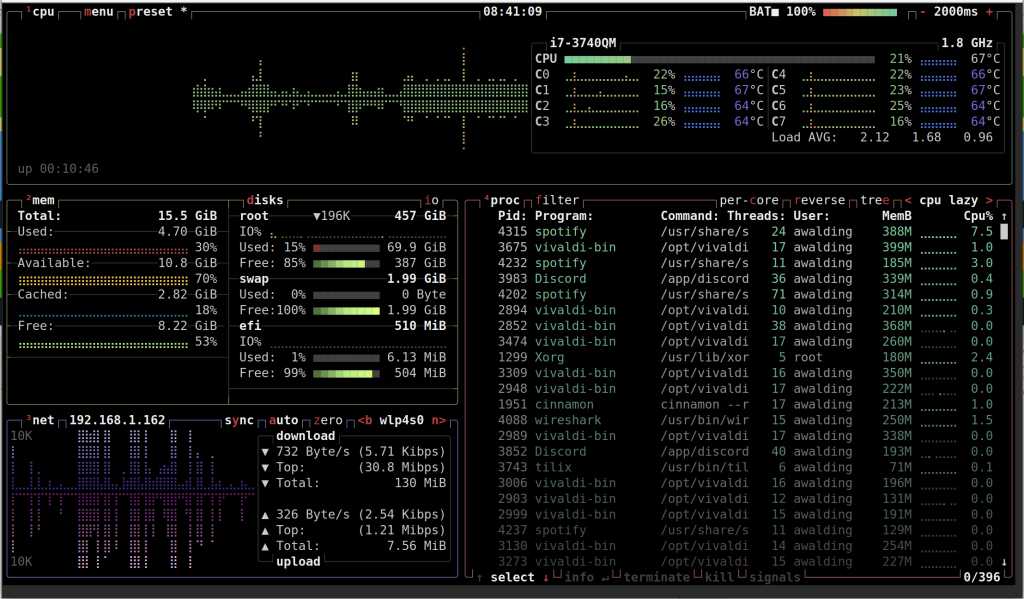
btop (aka btop++) is a modern and visually appealing resource monitoring tool for Linux and other operating systems. It is part of the bpytop family, created by the same developer, and is written in C++ for performance and efficiency. Like htop, btop provides detailed information about system resources, including CPU, memory, disk I/O, network, and processes. It features a colorful, interactive, and intuitive interface designed to make resource monitoring more user-friendly and visually appealing.
Here is what the interface looks like for btop:
Why is btop considered better than htop?
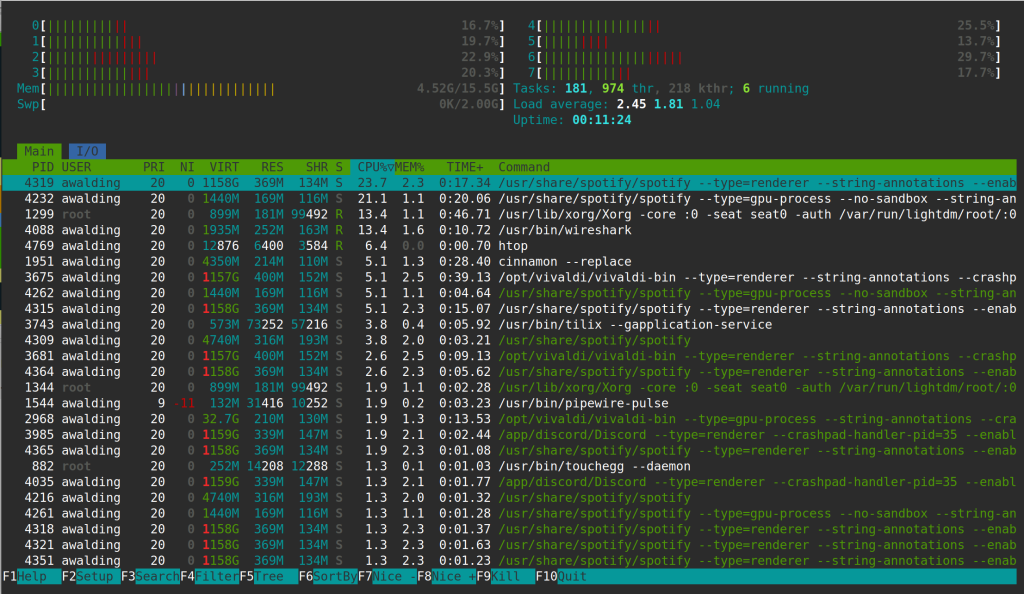
Here is what htop looks like:
While “better” is subjective and depends on the user’s preferences, there are several reasons why some users prefer btop over htop (see if you agree):
1. Enhanced Visual Appeal
btopuses a modern, polished UI with better visual organization and smooth animations.- It provides graphs for CPU, memory, disk, and network usage, making it easier to interpret system performance at a glance.
2. Ease of Use
- Navigation and interaction in
btopare more intuitive, thanks to well-placed menus and better mouse support. - Configurable settings are accessible directly from the UI without requiring configuration file edits.
3. More Detailed Metrics
btopdisplays more detailed information about system resources, such as network traffic by interface, disk read/write speeds, and process-specific I/O statistics.- It includes a breakdown of CPU core usage, making it more comprehensive for multi-core systems.
4. Customizability
- Offers advanced customization through an interactive settings menu.
- The layout, colors, and other aspects of the interface can be tailored to user preferences.
5. Performance
- Written in C++,
btopis designed to be faster and more efficient thanbpytop, its Python-based predecessor, while maintaining a lightweight footprint. - Though both
btopandhtopare resource-light,btopstrikes a good balance between resource usage and functionality.
6. Process Management
- Provides all the process management features of
htop(e.g., killing, renicing processes) but presents them in a more visually appealing and accessible way.
7. Improved Networking and Disk Monitoring
btopoffers better visualization and breakdown of network interfaces and disk I/O metrics, making it particularly useful for monitoring server performance.
When Might htop Be Preferred?
While btop excels in modernity and visuals, some users might still prefer htop for the following reasons:
- Minimalism:
htophas a simpler and more traditional interface that might appeal to those who prefer a no-frills experience. - Wide Availability:
htopis often pre-installed or available in repositories for almost every Linux distribution. - Legacy Systems: On very old or resource-constrained systems,
htopmight be slightly lighter thanbtop.
Conclusion
btop is a powerful and visually rich alternative to htop. It stands out with its modern UI, detailed metrics, and user-friendly interface, making it a great choice for users who want more from their system monitoring tool. However, htop remains a reliable and straightforward option for those who prefer simplicity or need a tool with minimal dependencies.
Comments are welcomed below from registered users. You can also leave comments at our Discord server.
If you would like to see more content and articles like this, please support us by clicking the patron link where you will receive free bonus access to courses and more, or simply buying us a cup of coffee!