

Hi everyone! Happy Thanksgiving 2021.
Just released – Wireshark 3.6.0!!! Why is this important to me, you, and everyone who troubleshoots Voice traffic using Wireshark? Well, there are many changes to the voice related functionality in Wireshark in this (actually as part of the development 3.5.0 – you can read more on that here) release. Of course, more than VoIP was updated in these last couple of releases, and I do not discuss other changes here. I would refer you to the Wireshark web site for details.
Let me just say, up front, that this is perhaps the biggest update to the Telephony menu items and Voice related functionality in many years. Mostly the changes are related to RTP and the RTP Player. I have documented the Voice changes here, and discussed some examples.
If you want to learn more about troubleshooting voice over IP using Wireshark, check out my YouTube video here:
Or enroll in one of our classes here: https://www.cellstream.com/training/course-calendar-and-registration
Wireshark now supports dissecting RTP packets with OPUS payloads. I have left this alone – it is here as an FYI.
The RTP Player has been significantly redesigned and improved. See Playing VoIP Calls and RTP Player Window in the Wireshark User’s Guide for more details (the links will open new tabs). Here is a synopsis of what has changed:
- The RTP Player is now accessible from the Telephony › RTP › RTP Player menu.

- The RTP Player can play many streams in row. This is done with “playlists”. The RTP Player maintains playlist and other tools can add and remove streams to and from it:

- The UI is more responsive.
- Every stream can be muted or routed to the left or right channel for replay.
- The option to save audio has been moved from the RTP Analysis dialog to the RTP Player. The RTP Player also saves what was played, and it can save in multichannel .au or .wav.
The VoIP dialogs (VoIP Calls, RTP Streams, RTP Analysis, RTP Player, SIP Flows) are non-modal and can stay opened when they are in background. This is very handy when troubleshooting, as prior to this, you had to close one of the tools to open another in the Telephony part of Wireshark.
The same tools are provided across all dialogs (Prepare Filter, Analyze, RTP Player …). This standardizes the look and feel when using voice.
The “Follow Stream” dialog is now able to follow SIP calls based on their Call-ID value.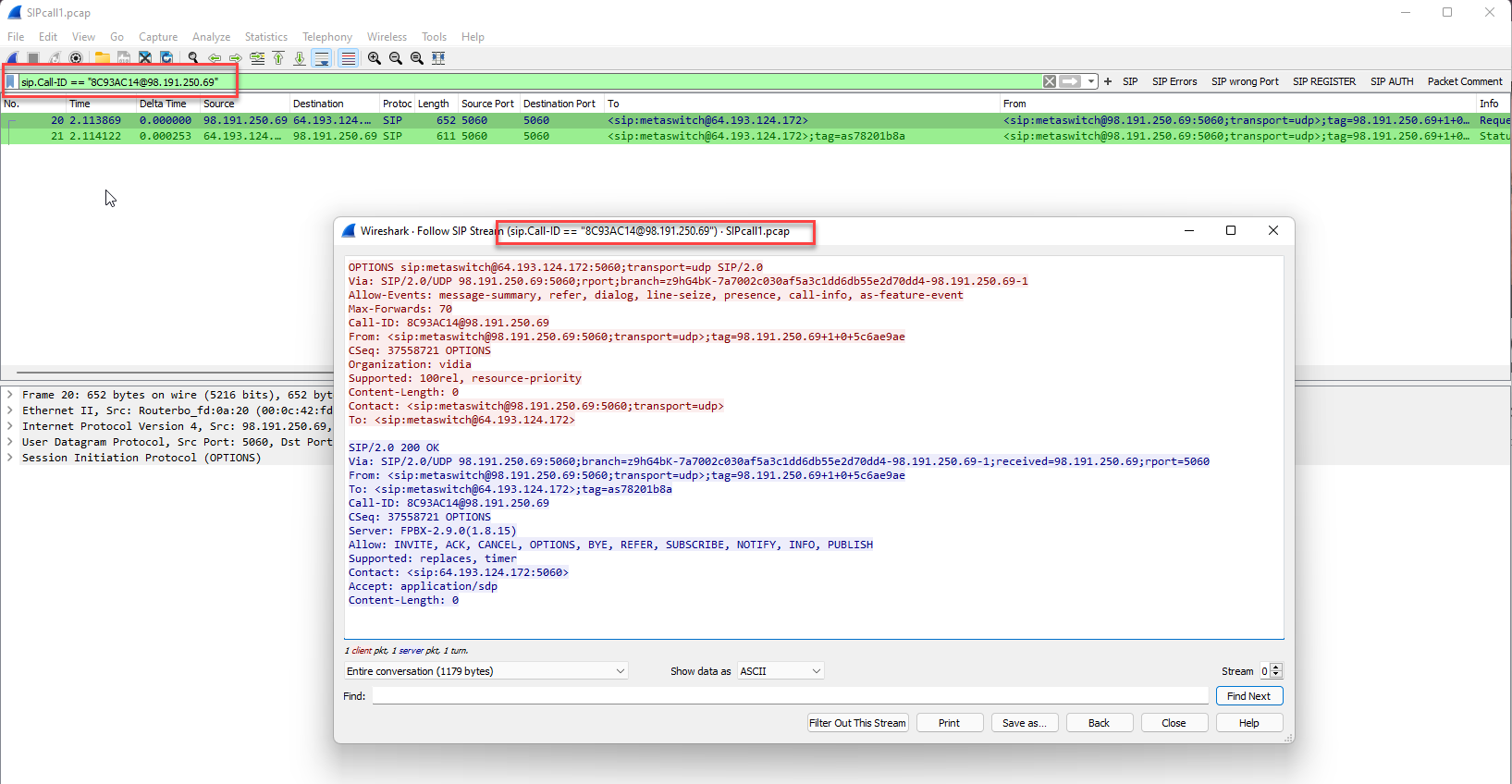
The “RTP Stream Analysis” dialog CSV export format was slightly changed. The first line of the export contains column titles as in other CSV exports.
Here is an example exported CSV file:
The “RTP Stream Analysis” and “IAX2 Stream Analysis” dialogs now show correct calculation mean jitter calculations.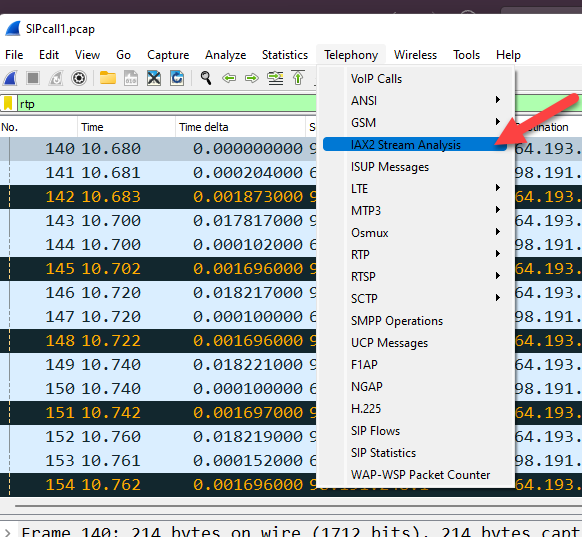
RTP streams are now created based on Skinny protocol messages in addition to other types of messages. Furthermore, the “VoIP Calls Flow Sequence” window shows more information about various Skinny messages.
All of this is great news for those of us who troubleshoot Voice over IP issues.
Comments are welcomed below from registered users. You can also leave comments at our Discord server.
If you would like to see more content and articles like this, please support us by clicking the patron link where you will receive free bonus access to courses and more, or simply buying us a cup of coffee!
And don’t forget to Capture Every Day!
