
- Version
- Download 367
- File Size 42.59 KB
- File Count 1
- Create Date February 17, 2024
- Last Updated May 21, 2026
Windows Networking Toolkit
Our Windows Networking Toolkit is here.
Step-by-step Installation Instructions
Read these carefully.
First, download the ZIP file by clicking on the download button on this page.
Your system should put the ZIP in your Downloads directory, unless you specified some other location.
Next, open your file explorer and navigate to the downloads directory. Right click on the file. Select "Extract All". You will be presented with a pop-up to specify where you wish to extract the ZIP file (the version number will vary from the screenshot shown):
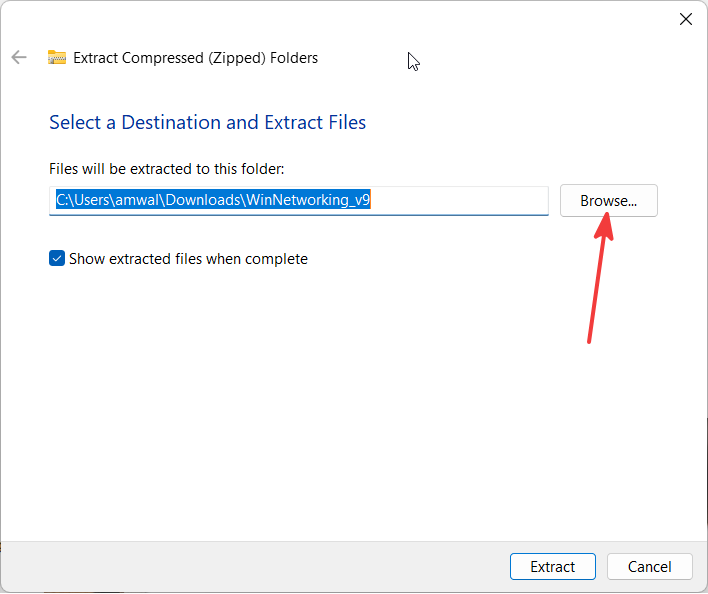
Click the Browse button, and I suggest selecting your Desktop:
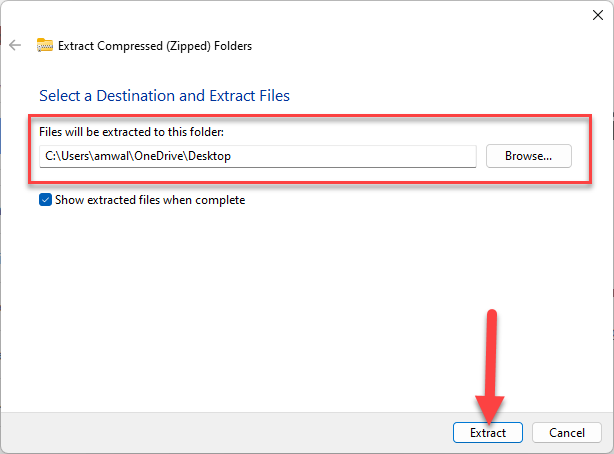
Now select Extract.
You will see the following icon on your desktop:

Next, double click that icon.
When you first run the extracted batch file, you may get a warning from Windows Defender:
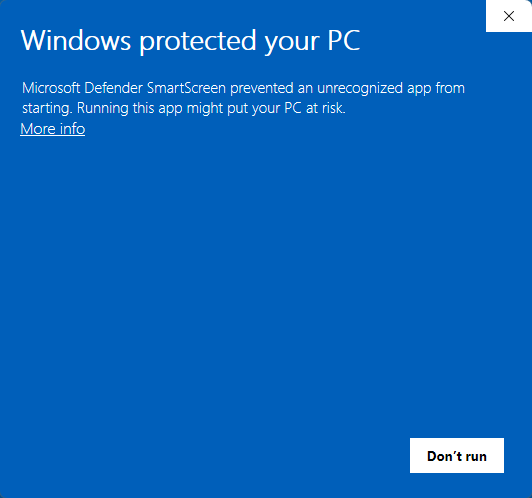
Select More Info and the pop up content will change to this:
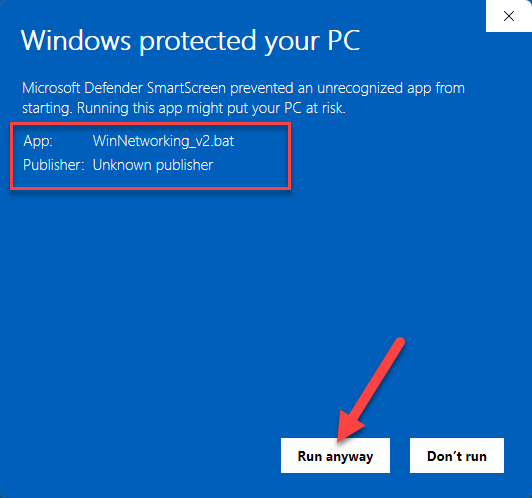
The warning states that I am an unknown publisher. That is correct, and it is OK...run it anyway. You will not get this warning in future.
You may get this warning:
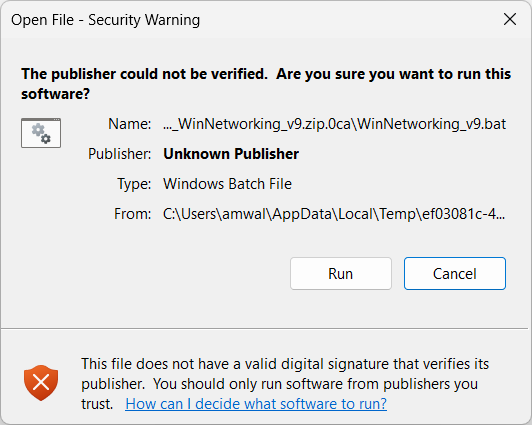
In this case - select "Run".
When you do, you will likely get this reminder:
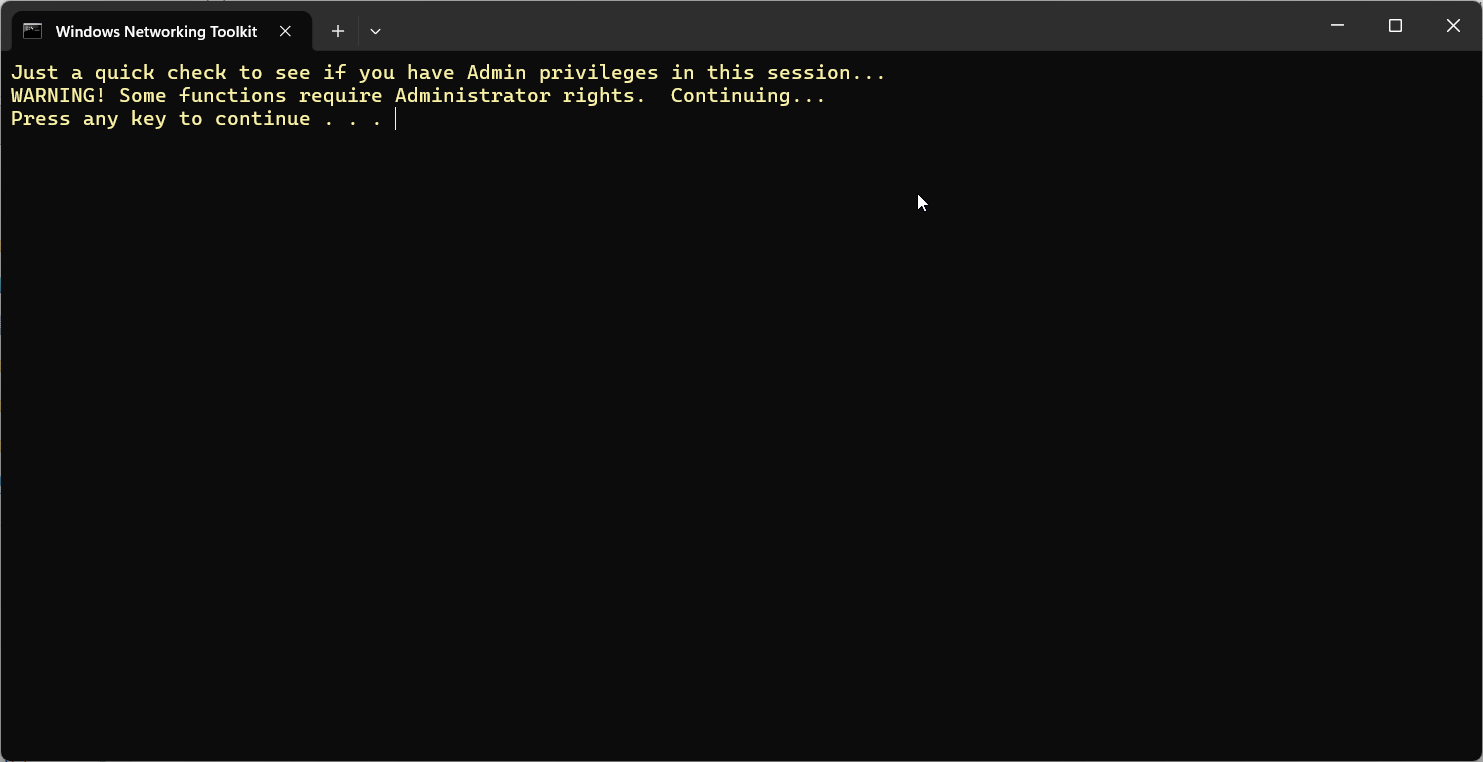
It is not necessary to have Admin privileges to run almost all the commands, but this check has been added by popular request.
Just press any key to continue...and you will get the Main Menu:
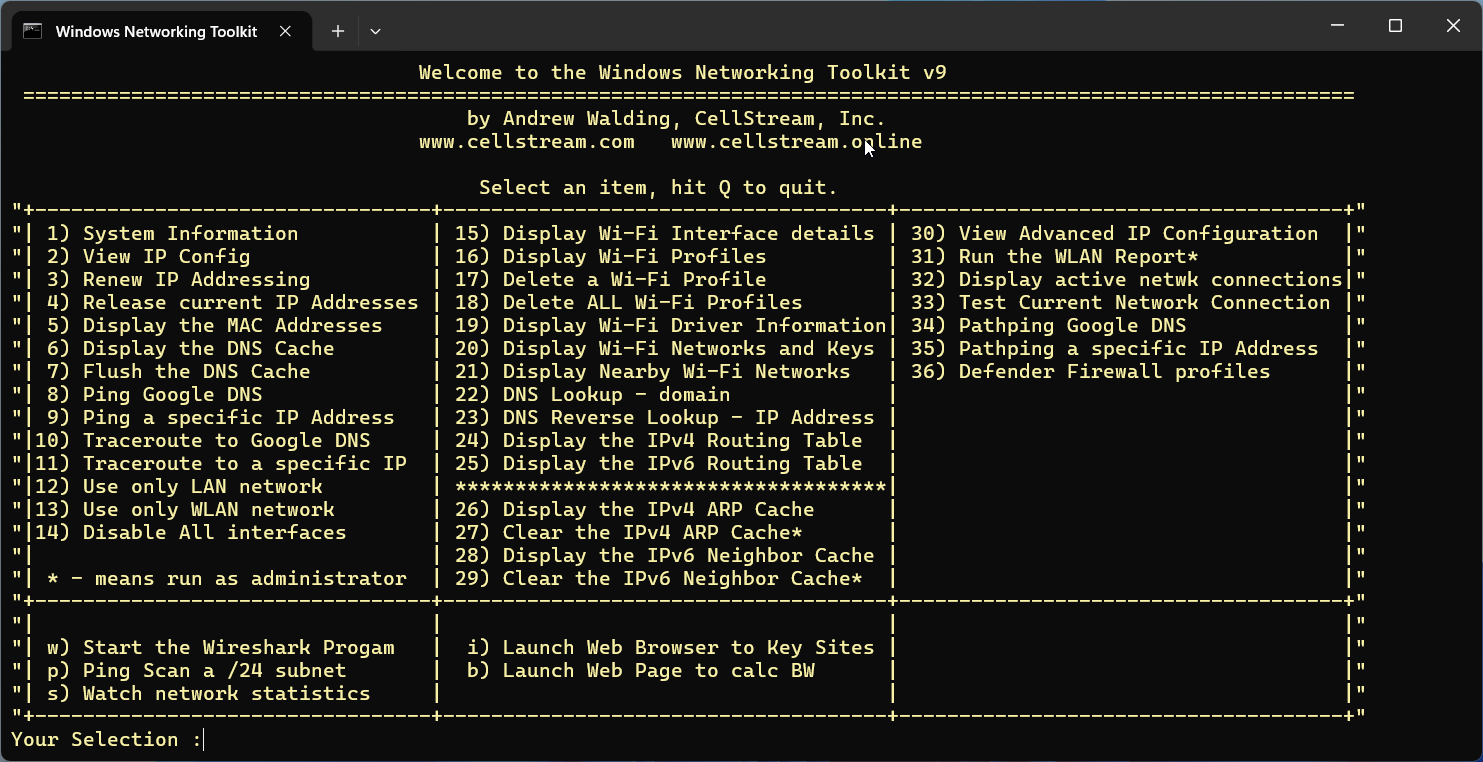
A couple of notes:
- If your system is not defaulted to English, the output may not work with #1 System Information.
- Some commands require the user to have Administrative privilege. If you really want those to work, try to run as Administrator.
I hope you enjoy the tool.
I have written a item by item description of what each of the menu items does. You will find those details here.
Did you find this useful? Would you change or modify this file in any way? Let us know - you can leave comments at our Discord server. If you would like to help support the continued development of independent networking, broadband, Wi-Fi, VoIP, and packet analysis content, please consider joining our Patreon community where you will gain access to exclusive technical resources, downloadable labs and PCAPs, bonus course content, troubleshooting guides, and additional member-only material. You can also support our work by simply buying us a coffee — every contribution helps us continue creating practical, real-world network science education for professionals and enthusiasts alike.