

For those of you who love Wireshark and are needing to analyze ARP packets, we have the profile for you.
Profiles are one of the most important Wireshark capabilities. Setting up and using different profiles for different environments, protocols, and tasks is a crucial skill that we teach in our Wireshark courses. Let’s say you went to the Wireshark site and tried to find some! Suprisingly, here is what you would get:

Whaaaaat?????
No worries. We have an answer below:
Let’s look at what you get with this profile:
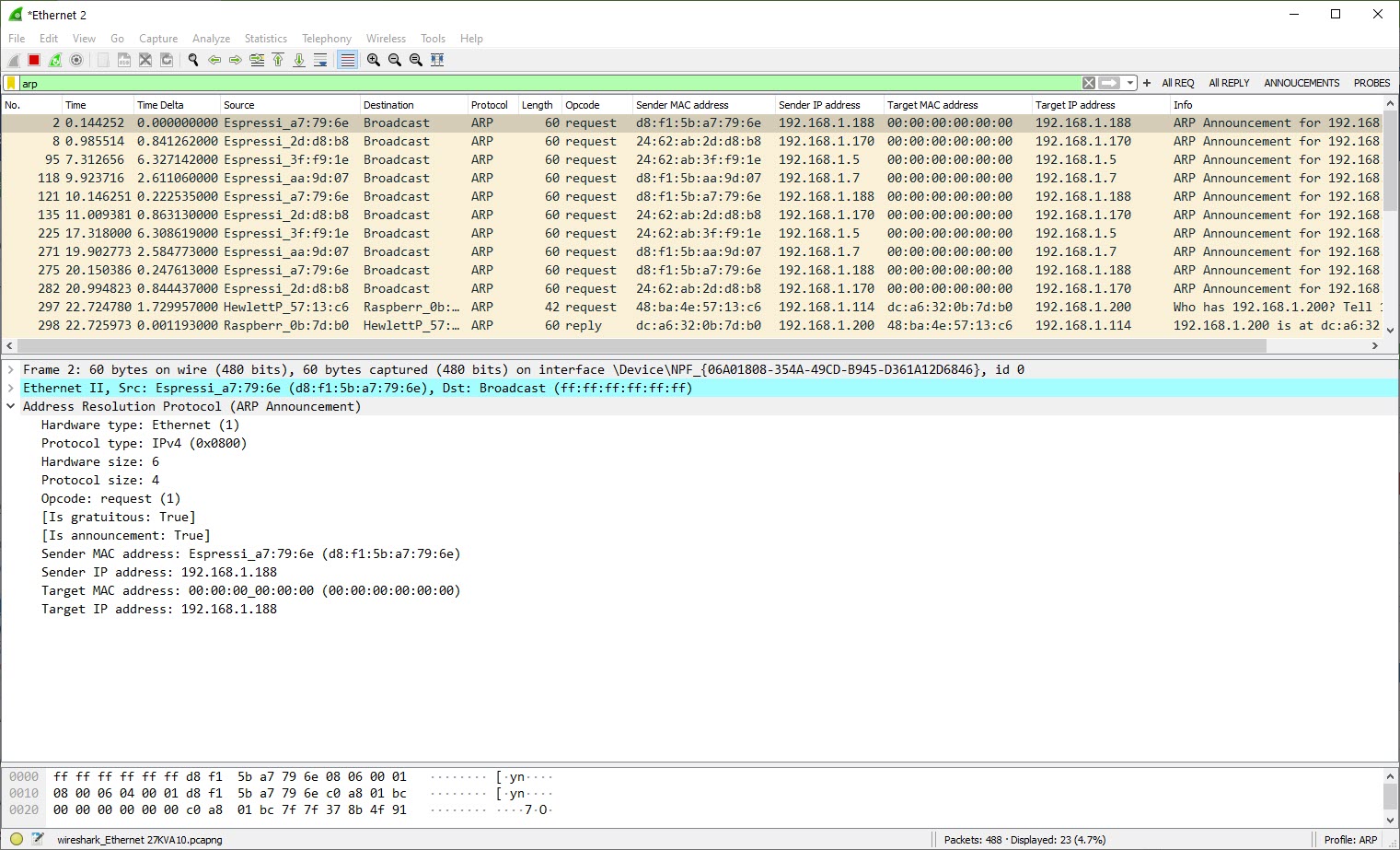
Capture Filters
The following capture filters are included:

Display Filters
Here are the display filters in this profile:

Colorization:
No Special color rules were added.
Again, all of this is a great starting point. What do you think we are missing? What would you add?
To download this ZIP file click here. Make sure you unzip it into your personal folders, profiles subdirectory:
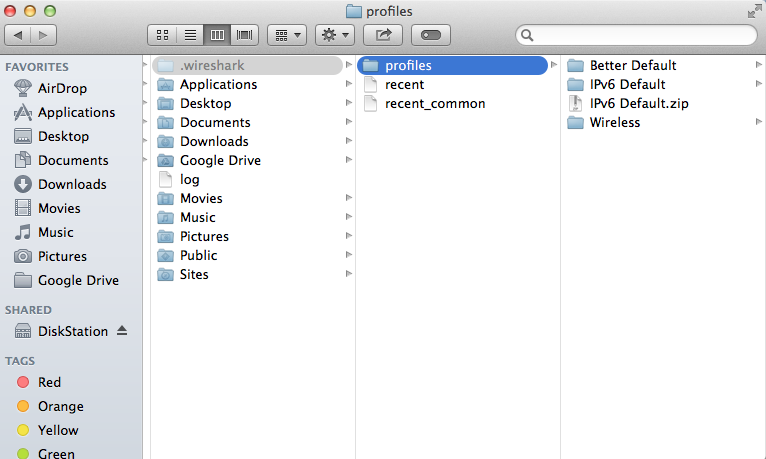
We hope this helps you with Wireshark!
Got a better one? Or have a profile you would like to send to us? Send it to andyw@cellstream.com – thanks in advance – we share profiles here.
Another way to find profiles, click on “Profile” in the tag cloud.
If you would like to help support the continued development of independent networking, broadband, Wi-Fi, VoIP, and packet analysis content, please consider joining our Patreon community where you will gain access to exclusive technical resources, downloadable labs and PCAPs, bonus course content, troubleshooting guides, and additional member-only material. Comments and technical discussion are always welcomed at our Patreon community or on our Discord server. You can also support our work by simply buying us a coffee — every contribution helps us continue creating practical, real-world network science education for professionals and enthusiasts alike.