

One of the utilities that is included in your Wireshark distribution is a command line tool called ‘mergecap’. We use this tool to merge multiple captures generated, let’s say, from a ring buffer capture (you can see how to do ring buffer captures using tshark here).
Alright, so let’s say you have a ring buffer capture, as I do:
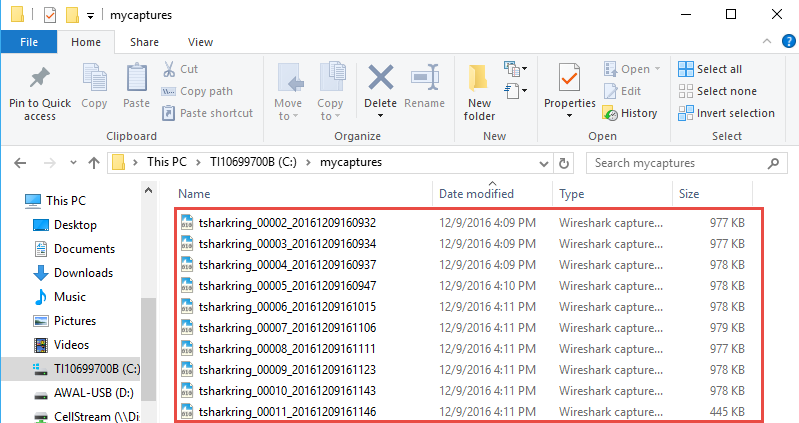
There are two options for merging these files:
- Open the oldest one in the Wireshark GUI, and then methodically use the File> Merge option for the rest of the files (in order). Wireshark will merge them.
- Use the ‘mergecap’ command line tool.
This article shows how to use the mergecap tool using Windows, but you should be able to follow the exact step by step on Linux and MAC.
Begin by opening the Command Line (or terminal) window, and change directory to the C:/Program Files/Wireshark> directory as shown:

From this location you can view the mergecap help by typing “mergecap -h”:
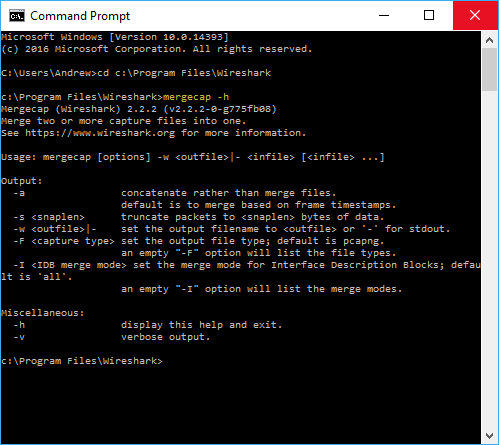
There are several options for concatenation, truncation, etc. We will keep it simple and merge the files that were part of the ring buffer shown above.
To make my command easier, I renamed the filenames to ring2 – ring11:

Perfect!
Our command is: ‘mergecap -w c:\mycaptures\mergedfile.pcap c:\mycaptures\ring2.pcap c:\mycaptures\ring3.pcap c:\mycaptures\ring4.pcap c:\mycaptures\ring5.pcap c:\mycaptures\ring6.pcap c:\mycaptures\ring7.pcap c:\mycaptures\ring8.pcap c:\mycaptures\ring9.pcap c:\mycaptures\ring10.pcap c:\mycaptures\ring11.pcap’

My system completed the task almost instantaneously. If you are working with larger files, this will not be the case, but it will still be lightning fast. You can add the ‘-v’ verbose switch if you want to see things are hapenning.
OK – let’s see the results! First we see the newly created file:
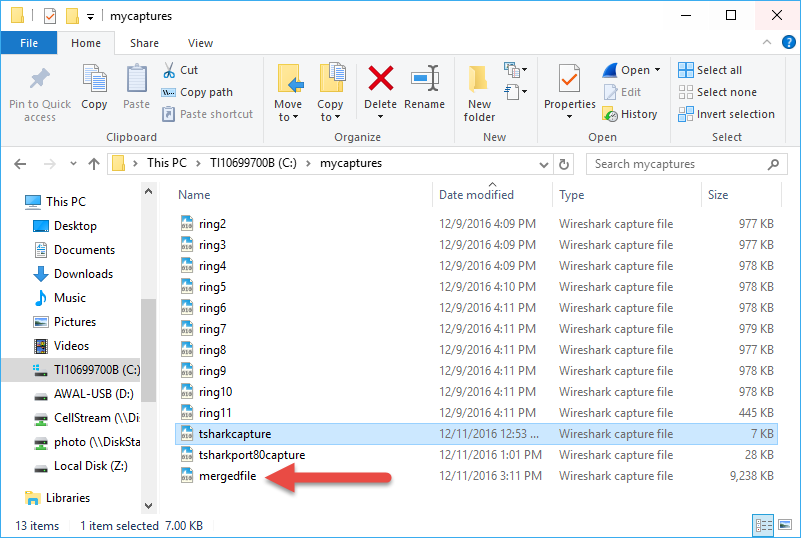
Now this file can be openned in the Wireshark GUI.
You can see more information here: https://www.wireshark.org/docs/wsug_html_chunked/AppToolsmergecap.html
Happy packet sniffing.
If you would like to help support the continued development of independent networking, broadband, Wi-Fi, VoIP, and packet analysis content, please consider joining our Patreon community where you will gain access to exclusive technical resources, downloadable labs and PCAPs, bonus course content, troubleshooting guides, and additional member-only material. Comments and technical discussion are always welcomed at our Patreon community or on our Discord server. You can also support our work by simply buying us a coffee — every contribution helps us continue creating practical, real-world network science education for professionals and enthusiasts alike.